|
Maliphant.net Email
Working with MS Outlook or MS Outlook Express
These instructions work exactly the same for Outlook or Outlook Express. I will simply use the name Outlook from here on for ease of typing.
These instructions assume that Outlook has already been fully installed on your PC.
1) From within Outlook, take the Tools menu option, and from there the "Accounts..." option

2) Select the Mail Tab
3) Click the Add button (top right)
4) Take the Mail option
5) Type in your name and click Next

6) Type in your email address and click Next

7) Type "mail.maliphant.net" for both Incoming and Outgoing server names and click Next

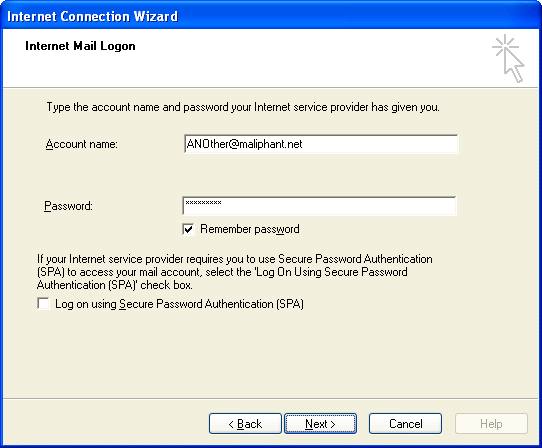
8) Enter your Email address as the Account Name, the password for that account and then click Next
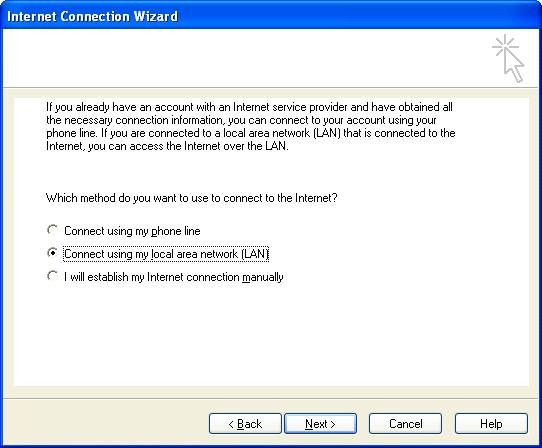
9) Select the method of Internet Connection that you use (I take the LAN option for my Broadband) and then click Next
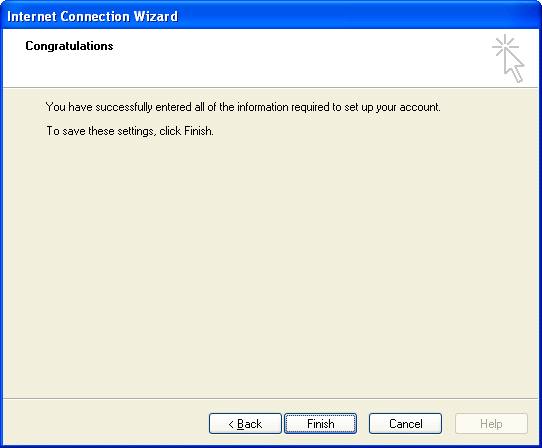
12) Click Finish
Happy to discuss any problems you may encounter - give me a shout :-)
============================ End of instructions for MS Outlook
|
|
